

Beginner’s Guide to Music Ads on Facebook & Instagram
In the digital age, advertising your music can feel overwhelming, especially if you’re just starting out. However, platforms like Facebook and Instagram offer innovative tools to help artists reach their audience effectively. This guide will walk you through everything you need to know about creating music ads on these platforms.
Why Use Facebook and Instagram for Music Ads?
Facebook and Instagram boast billions of users combined, making them prime locations for promoting your music. Here are a few reasons to consider:
- Extensive Reach: Both platforms have a global reach, allowing artists to connect with fans around the world.
- Targeted Advertising: These platforms offer advanced targeting options, enabling you to reach specific demographics.
- Visual Appeal: Music is heavily based on visual storytelling, and Instagram, in particular, is a visual platform.
Types of Ads for Musicians
There are several types of ads you can create on Facebook and Instagram. Understanding which ones suit your goals can help you craft an effective campaign.
1. Video Ads
Video ads allow you to showcase your music videos, behind-the-scenes footage, or even live performances. Here’s how to use them effectively:
- Create engaging content that holds attention within the first few seconds.
- Include captions for users watching without sound.
- Use stunning visuals that represent your music style.
2. Image Ads
Simple yet effective, image ads can promote album covers, concert images, or promotional graphics. To optimize these ads:
- Use high-quality images that resonate with your music genre.
- Keep the text minimal to enhance visual appeal.
- Include a clear call to action (CTA).
3. Carousel Ads
Carousel ads allow you to showcase multiple images or videos within one ad. This is perfect for:
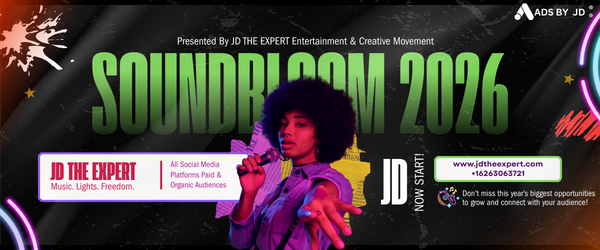
- Displaying different albums or singles.
- Highlighting various concert dates.
- Sharing multiple aspects of your music journey.
4. Stories Ads
Stories ads appear between users’ stories and can be highly engaging due to their full-screen format. Best practices include:
- Creating quick, engaging content
- Including interactive elements like polls or quizzes
- Mentioning upcoming releases or events
Setting Up Your Facebook and Instagram Ads
Now that you know the types of ads, let’s walk through how to set them up.
Step 1: Create a Business Account
To run ads, you need a Facebook Business Account. This account provides you with access to the Ads Manager.
Step 2: Access Ads Manager
Once you have a business account, go to Ads Manager to create your campaign. Here, you can track performance and make adjustments as needed.
Step 3: Choose Your Objective
Facebook offers various objectives, such as:
- Awareness.
- Consideration.
- Conversion.
Select the one that aligns with your goals, whether it’s to increase streams, ticket sales, or social media engagement.
Step 4: Define Your Audience
The power of Facebook’s targeting lies in its ability to define your audience based on demographics, interests, and behaviors. Consider:
- Age and gender.
- Location.
- Music preferences.
This targeting ensures that your ads reach the right listeners.
Step 5: Set Your Budget
Determine how much you want to spend. You can choose between:
- Daily Budget: The amount you’re willing to spend per day.
- Total Budget: The total amount you want to invest in the campaign.
Start small, especially if you’re new to advertising, and increase your budget as you learn what works.
Step 6: Create Your Ad
Design your ad based on the type you chose. Use clear visuals and compelling copy that resonates with your target audience. Remember to include:
- Call to action (CTA).
- Links to your music or website.
- Any promotions or special offers.
Analyzing and Optimizing Your Ad Performance
Once your ads are live, it’s important to track their performance. This will help you understand what works and what doesn’t.
Key Metrics to Monitor:
- Click-Through Rate (CTR): Measures how many people clicked on your ad.
- Conversion Rate: Shows how many visitors took the desired action, such as streaming a song or buying tickets.
- Engagement Rate: Gauges likes, shares, and comments on your post.
Tips for Optimization:
- A/B testing: Test different visuals and copy to see what resonates best.
- Adjust targeting: Refine your audience based on ad performance.
- Update your creatives: Keep content fresh and engaging.
Conclusion
Advertising your music on Facebook and Instagram can open doors to new fans and opportunities. With strategic planning and ongoing optimization, you can effectively utilize these platforms to boost your music career. Remember to monitor your results regularly and adjust your strategies as necessary. Happy advertising!